
Your cart is empty.
Click here to purchase!
No more platform limitations – Webremoter is here
Webremoter – web-based programming software
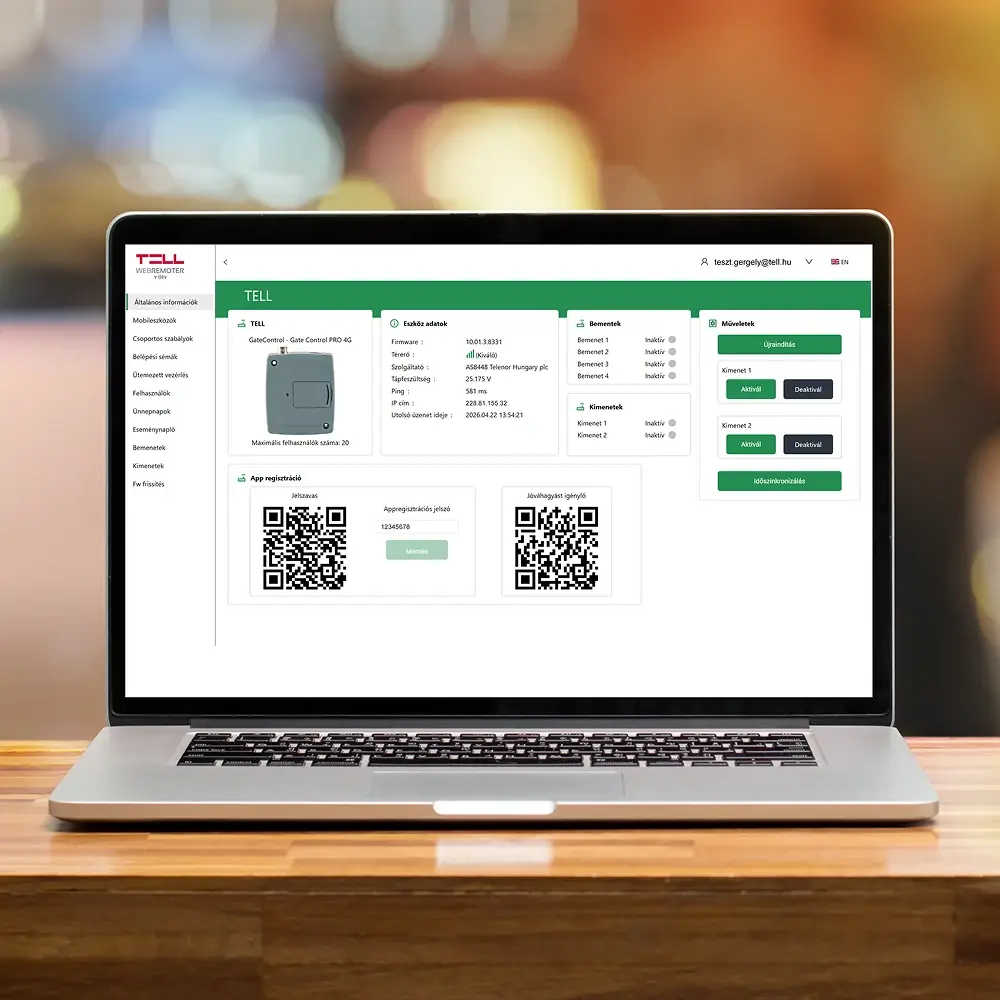
Gate Control management from the browser – on Mac too, without installation
If you have ever run into the problem of not being able to configure your Gate Control device from a macOS laptop – that problem is now solved for good.
Introducing Webremoter: a fully web-based device management platform, accessible from any browser, on any operating system.
Platform-independent
Windows, macOS, Linux – it doesn't matter
Windows, macOS, Linux – it doesn't matter
No installation
all you need is a browser
all you need is a browser
Device groups
clear site management
clear site management
Firmware update
with a single click
with a single click
0 Installation required
3 Main menu items
∞ Platform – Mac, Win, Linux
v10+ Available from firmware
What is Webremoter?
The new generation of device management
The TELL Webremoter is the web-based programming software for Gate Control products. Previous Gate Control software only ran on Windows 10 – that has now changed. Webremoter runs in the browser, making it platform-independent: Windows, macOS, Linux, tablet – it doesn't matter. No installation, no compatibility issues.
All you need to do is open a browser, navigate to remoter.tellapi.com, register – and you can access the system immediately.
No Windows restriction.
No installation.
Just a browser.
No installation.
Just a browser.
Key benefits
Why choose Webremoter?
Platform-independent
Windows, macOS, Linux – accessible from any operating system, as all you need is a modern browser.
No installation
No software needs to be downloaded or installed. After completing registration, you can access the system immediately.
Accessible from anywhere
From the office, from home, or on the go – as long as you have an internet connection, you can manage all your Gate Control devices at remote.tellapi.com.
Device groups
You can organise multiple devices into groups – ideal for sites where several Gate Control units operate simultaneously.
Firmware update
Device firmware can be updated directly from the web interface with a single click – quickly and securely.
Configuration
Access schemes, scheduled controls, group rules and output simulation – everything you were used to in the installer software is available here.
Getting started
Four steps – and you're ready to go
Getting started is extremely simple – it takes just a few minutes and nothing needs to be installed.
2
Register once
Registration is required for the first time. After that, you can log in immediately and start working.
3
Add your devices
Click the "Add device" button to add your Gate Control devices, then assign them to groups.
4
Configure straight away
Click the Login icon to complete all necessary settings – from access schemes to firmware updates.
Important note about firmware version: Webremoter is only compatible with Gate Control devices running v10 firmware or newer. If your device has an older firmware version, please update it first, then connect to Webremoter. For assistance, please contact our colleagues at: support@tell.hu
Get started now – free and instant
Register once, and managing your Gate Control devices will never be a platform-dependent issue again.